Work Log
Track your work sessions with hierarchical time organization
Work Log is a native KDE application designed to help you track and organize your work sessions with a focus on simplicity and local data control. Whether you're a freelancer tracking billable hours, a developer logging coding sessions, or anyone who wants to maintain a detailed record of their work, Work Log provides an intuitive interface for capturing what you've accomplished.
The application organizes your work sessions in a hierarchical tree structure (Year → Month → Week → Day), making it easy to browse your work history and see patterns over time. Each session can include the time spent (in half-hour increments), a description of what you worked on, detailed notes in Markdown format, and what you plan to do next.
All data is stored locally in a SQLite database on your computer, giving you complete control and privacy. The application is built with Qt and KDE Frameworks, providing a responsive and native experience on Linux desktops.
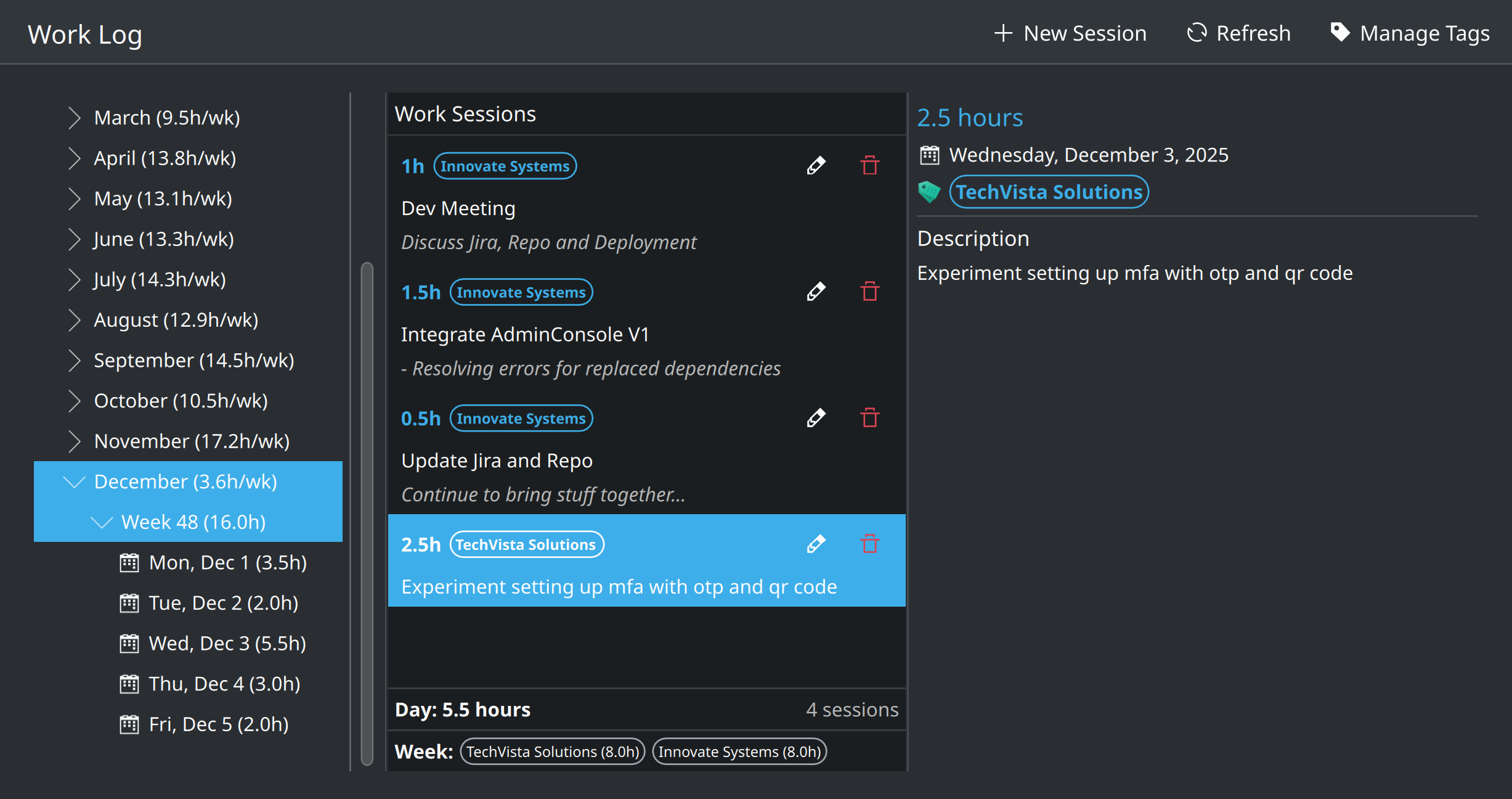
Main window showing hierarchical session navigation and session details
Features
- Hierarchical navigation by year, month, week, and day for easy browsing
- Record work sessions with time (0.5 hour increments), description, notes, and next planned stage
- Organize sessions with custom tags for categorization
- View statistics including total hours per day, week, and month
- Calendar popup for easy date selection
- SQLite database for reliable local storage with no cloud dependencies
Available Platforms
Web Application
Self-hosted ASP.NET Core web application
This instance is in early stage development and not currently accepting public sign-ups.
Self-Hosting Instructions
You can host your own instance of Work Log. The application is open source and available on GitHub.
Requirements
- .NET 8.0 SDK or runtime
- SQLite (included with .NET)
- Web server (nginx, Apache, or Kestrel standalone)
Quick Start
git clone https://github.com/macsplit/Work.Log.git
cd Work.Log/WorkLog.Web/Website
dotnet publish -c Release -o ./publish
cd publish
./WorkLog.Website
For detailed setup instructions, SSL configuration, and production deployment, see the GitHub repository.